Merge PDF
Combine several PDFs into one file, in exactly the order you want.
PDF Tools
Merge PDFSplit PDFOrganize PDFRotate PDFCrop PDFPage numbersWatermark PDFSign PDFAll 30 toolsImage Tools
Compress ImageResize ImageConvert ImageCrop ImageJPG to PNGPNG to JPGCompress Image to KBExam Photo & Signature ResizerAll 21 toolsFile Converter
Word to PDFExcel to PDFPowerPoint to PDFPDF to WordPDF to ExcelPDF to PowerPointHTML to PDFHTML Code to PDFFile Edit
PDF FormsMerge, compress, convert, sign and edit PDFs and images. 67 free tools, and 53 of them run right in your browser, so your files never leave your device.
No sign-up. No watermark. Free to use.
Drop any file herePDF, Word, Excel, PowerPoint or images. We suggest the right tool.
Pick a tool, drop your file, download the result. Tools marked “In browser” never upload anything.
Merge, split, organize, sign, number and print PDFs, right in your browser.
Combine several PDFs into one file, in exactly the order you want.
Pull out page ranges or break a PDF into separate files.
Reorder, rotate and delete pages using a visual page view.
Turn pages the right way up, for one file or a whole batch at once.
Trim the margins of every page, with a live preview.
Number your pages with the position, format and size you choose.
Stamp text across your pages. Choose size, angle, colour and opacity.
Draw or type your signature and place it on the page.
Save every page as a sharp JPG or PNG image.
Turn photos and images into a PDF with the page size and margins you choose.
Use your phone or webcam to capture paper documents as a clean PDF.
Get clean Markdown with headings and lists, ready for notes, docs and AI tools.
See exactly what changed between two versions of a document.
Put the front and back of your e-Aadhaar on one A4 page at real card size, ready to print and cut.
Print both sides of a voter ID, driving licence, PAN or any card on one page at real card size.
Merge separately scanned front and back pages into one PDF in the right order.
Cut two-page scans of books down the middle into separate pages.
Find and delete empty pages automatically, with a sensitivity you control.
Put 2, 4, 6 or 9 pages on each sheet to save paper when printing.
Rearrange pages so the printed sheets fold into a booklet.
Stamp legal-style numbers like ABC-000001 across one or many PDFs.
Add text, page numbers, the date or the file name to the top or bottom of every page.
Change or remove the title, author, subject and keywords stored inside a PDF.
Lock filled-in form fields and annotations so nobody can change them.
Save every picture inside a PDF as a separate image file.
Make every page A4, Letter, A3 or A5, with the content scaled to fit.
Reverse the page order, duplicate pages or insert blank pages.
Copy all the text out of a PDF into a plain .txt file.
Invert colours or switch to greyscale for comfortable reading at night.
Place a logo, stamp, seal or photo on your PDF pages.
Compress, resize, crop and convert photos without uploading them.
Shrink JPG, PNG and WebP photos for the web, email and uploads.
Change the size of photos in pixels or by percentage, one or many at once.
Change photos between JPG, PNG and WebP.
Cut photos to a square, 16:9 or any shape, with a live preview.
Turn JPG photos into lossless PNG images.
Turn PNG images into smaller JPG files. Transparent areas become white.
Make a photo exactly 20 KB, 50 KB, 100 KB or any size you need for online forms.
Resize a photo or signature to the exact pixel size and KB limit an exam form asks for.
Crop a photo to passport size and print several copies on one 4×6 or A4 sheet.
Convert iPhone HEIC photos into JPG or PNG that open everywhere.
Strip GPS location, camera details and other hidden data from photos before you share them.
Add your name or brand to photos, once or tiled across the picture.
Turn photos the right way up or mirror them.
Hide faces, number plates or private details by blurring or pixelating an area.
Join photos side by side, stacked or in a grid, with the spacing you like.
Create favicon.ico and app icons in every size a website needs.
Turn SVG graphics into PNG images at the size you choose.
Turn logos, icons and signatures into sharp SVG vector files that scale to any size.
Pull the main colours out of a photo as HEX and RGB codes.
Get a Base64 data URI of an image for HTML, CSS or JSON.
Give photos a coloured border and rounded corners.
Turn Word, Excel, PowerPoint and web pages into PDFs, and back again.
Convert DOC and DOCX files into PDFs that look the same everywhere.
Convert spreadsheets into PDFs with tidy, readable pages.
Turn PPT and PPTX slide decks into PDFs that are easy to share.
Turn PDFs into editable Word documents that keep the layout.
Pull tables out of PDFs straight into Excel spreadsheets.
Turn each PDF page into an editable PowerPoint slide.
Enter a web page address and save that page as a PDF.
Paste HTML and CSS, see the live preview, and download it as a PDF.
Shrink files, fix damaged ones and make scans searchable.
Make PDFs smaller for email and uploads while keeping them readable.
Recover what you can from a damaged or corrupt PDF.
Turn scanned PDFs into searchable text you can select and copy.
Convert to PDF/A, the ISO standard for long-term archiving.
Lock, unlock and permanently black out sensitive content.
Add a password so only the right people can open the file.
Remove the password from a PDF you are allowed to open.
Permanently black out names, numbers and other sensitive text.
Turn flat PDFs into fillable forms and edit page content.
Detect form fields automatically and turn flat PDFs into fillable forms.
No tool matches
Try another word, or clear the filter.
Search for what you need, or drop a file and we suggest a tool.
Choose the settings you want. You see a preview before anything happens.
Your result is ready in seconds. Keep going with another tool if you need to.
Tools marked “In browser” process files on your own computer or phone. Nothing is uploaded.
When a tool needs our server, your file and its result are deleted within 1 hour.
Uploads and downloads use an encrypted HTTPS connection. Each result can be downloaded once.
Use every free tool without an account. Your results are clean, with nothing added.

Find your e-Aadhaar PDF password, download the PDF from UIDAI, and print the front and back of your Aadhaar at real card…

Job and government portals often limit PDFs to 100 KB or 200 KB. Learn how to shrink scanned certificates and marksheets to…
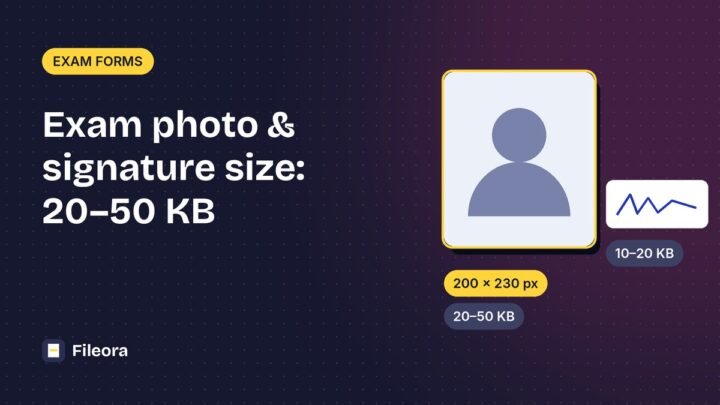
Photo and signature sizes for IBPS, RBI, SSC and UPSC forms, and how to resize a photo to 20–50 KB and a…
Yes. Every tool marked free works without an account, without a watermark and without a trial period.
Tools marked “In browser” process your file on your own device; it is never uploaded. Tools that need our server (for example Word to PDF) upload over an encrypted connection and the files are deleted automatically.
No. Everything works in a modern browser on Windows, Mac, Linux, Android and iPhone.
Yes, to keep the service fast for everyone. The limit is shown in each tool before you upload.
Pick a tool. Your files go straight into it.
Adjust the site to suit you. Your choices are saved in this browser only.